

GPU Tuning
Aligns driver call context pathways, disables forced power throttle parameters, and overrides driver queue limits to stabilize frame rendering.
Get more FPS, lower input delay, and eliminate annoying micro-stutters. Safe, fully reversible settings designed specifically for competitive games.
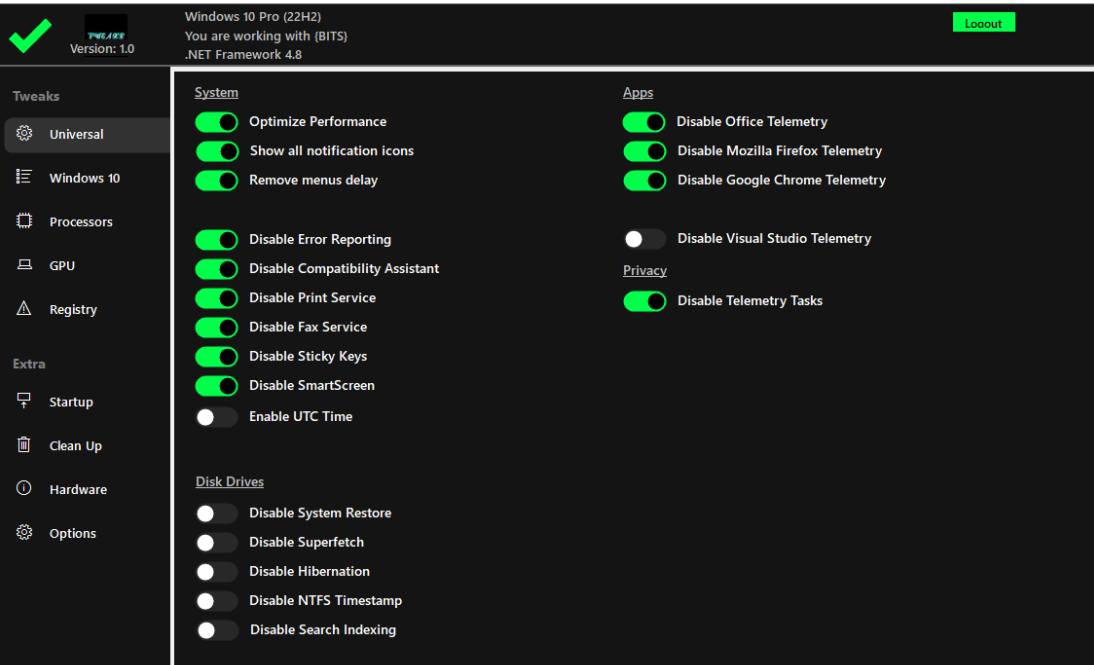



Select your hardware components and primary esport game below to calculate your estimated performance gains and latency reductions.
Configure hardware parameters on the left and click Analyze Setup to initiate scan diagnostics.
Fully reversible, safe changes that stop Windows background tasks from lagging your games.
Aligns driver call context pathways, disables forced power throttle parameters, and overrides driver queue limits to stabilize frame rendering.

Parks logical thread execution blocks safely and maps critical game.exe threads directly to physical hardware core nodes.

Removes Nagle's TCP latency delays, disables network card interrupt bottlenecks, and prioritizes local socket packages.

Safely turns off telemetry trackers, error logs, diagnostic loops, and background UWP scripts that leak physical memory.

Deploys a custom, performance-focused system power scheme, eliminating core C-state transition latency stutters.

Tuning for USB controller polling queues and pointer precision limits to ensure precise 1:1 hardware raw tracking in esports.
We are a dedicated group of performance enthusiasts and competitive gamers. No fake marketing, no bloated claims. Join our active Discord server to share telemetry stats, request custom hardware diagnostics, and talk optimization details directly with our team.
Explore Our CommunityTweakr refines Windows system parameters, network adapters (disabling socket queues), CPU logical cores parking limits, driver interrupt polling rates, GPU call overhead options, background processes, and input device latencies. All optimizations are compliant with native security rules.
Tweakr is 100% compliant. It never alters active game files, manipulates dynamic memory structures, or hooks running processes. It modifies only standard Windows configurations, ensuring zero conflict with Vanguard, Easy Anti-Cheat, or BattlEye.
Yes. Tweakr creates a clean rollback backup before applying any parameters, allowing you to restore your system completely back to default factory settings with one click.
Tweakr supports all genuine 64-bit builds of Windows 10 and Windows 11 equipped with modern NVIDIA, AMD, or Intel processors and graphics cards.